
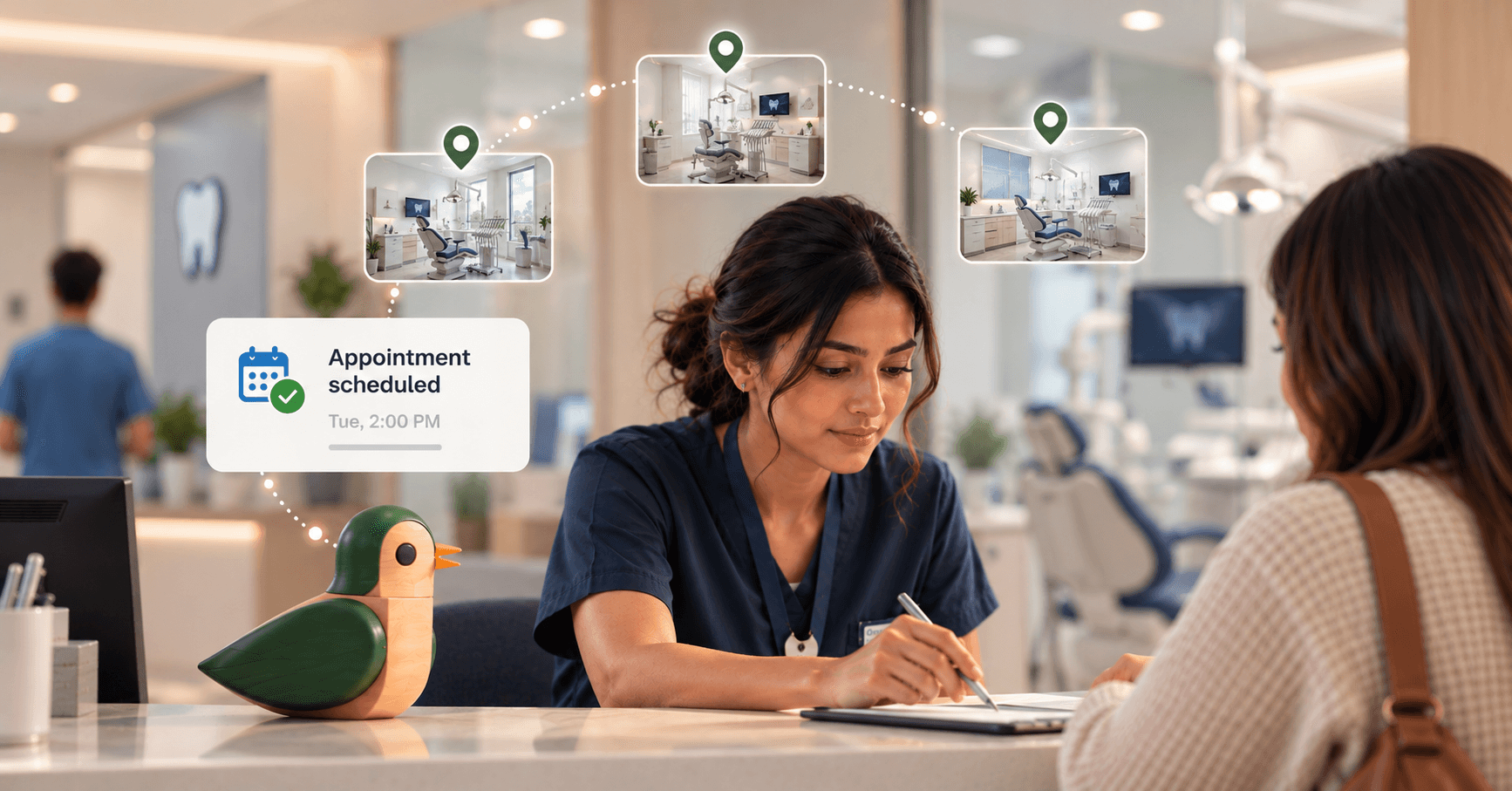
Effective patient scheduling depends on consistent rules, accurate availability, and easy access. For multi-location groups, those basics must work across providers, locations, and appointment types.
Scheduling is also becoming a clear priority for automation. A 2026 MGMA poll found that 31% of medical groups identified scheduling as their top front-office focus for AI and automation. Practices specifically cited filling canceled appointments, improving slot utilization, and managing waitlists.
The challenge is to make scheduling easier without adding work for staff.
Keep reading for practical patient scheduling best practices that work across locations.
What are the most important patient scheduling best practices?
Strong patient scheduling starts with accurate availability, consistent scheduling rules, and clear ownership. Patients should be able to find appropriate appointments without unnecessary calls or transfers. Staff should also know which appointments they can book directly and which require additional review.
Start with these practices:
- Standardize appointment types: Define what each visit type requires and how long it takes.
- Keep provider availability current: Outdated schedules create unnecessary back-and-forth.
- Use consistent scheduling rules: Apply the same core rules across locations.
- Make location options clear: Help patients find appropriate providers and locations without starting over.
- Set escalation rules: Define which requests staff needs to review.
- Confirm appointments consistently: Use the channels patients actually respond to.
- Monitor scheduling performance: Track access, cancellations, wait times, and unused capacity to improve patient satisfaction.
Standardization does not mean every location needs identical scheduling rules. A specialty clinic may have different appointment lengths from a primary care location. The underlying process should still be predictable.
That consistency becomes more important when patients can access several locations within the same healthcare group.
How can patient scheduling be improved?
Patient scheduling improves when organizations remove unnecessary steps between a patient's request and a confirmed appointment. That means reducing phone dependency, making availability easier to find, and reducing repetitive manual tasks for staff.
Common friction points include:
| Scheduling problem | Practical improvement |
| Patients cannot find available times | Show appropriate real-time availability |
| Staff repeatedly answer scheduling calls | Offer self-service scheduling, such as an <a href="https://birdeye.com/blog/ai-chatbot-for-healthcare/">AI chatbot for healthcare</a> |
| Canceled slots remain open | Use waitlist matching |
| Patients call to reschedule | Let them change appointments through the same channel |
| Different locations follow different rules | Standardize core scheduling workflows |
| Staff manually confirm every appointment | Automate routine confirmations |
| Patients wait for callbacks | Complete routine requests during the initial interaction |
The cancellation problem deserves particular attention. A 2025 Mayo Clinic study examined an automated waitlist process across 229,998 waitlisted appointments. The system sent appointment offers within two days for 32.5% of waitlisted appointments, and accepted patients moved appointments earlier by an average of 22.6 days.
The result points to a practical scheduling opportunity. An open slot doesn't need to remain open just because staff didn't have time to call someone.
The same principle applies to routine scheduling changes. When patients can complete those requests without waiting for staff, the front desk has fewer interruptions to manage, and patients are less likely to leave over the kind of friction covered in these dental patient retention strategies.
How can healthcare groups standardize patient scheduling across locations?
Multi-location groups can standardize patient scheduling by creating shared rules for appointment types, availability, confirmations, and escalation. Locations can then apply their own provider schedules, operating hours, and specialty requirements without rebuilding the entire process.
A practical framework includes:
| Standardize across locations | Configure by location |
| Appointment types | Provider availability |
| Scheduling rules | Operating hours |
| Confirmation processes | Specialty requirements |
| Escalation criteria | Appointment duration |
| Staff permissions | Protected appointment slots |
| Performance metrics | Location-specific services |
Standardization also makes automation easier. Once appointment rules are consistent, repetitive work such as checking availability, booking appointments, sending confirmations, and managing waitlists can follow defined workflows.
That reduces manual scheduling work without removing staff oversight. Staff can handle exceptions and requests that require judgment, while routine scheduling follows the rules already established by the organization.
For multi-location groups, this creates a more consistent patient experience while giving each practice room to operate within its own requirements.
How does Myna support patient scheduling across multiple locations?
Myna, Birdeye's Operations AI Coworker, handles healthcare front-office scheduling across calls and chats. It can book, reschedule, and cancel appointments in the EHR while supporting practice- and location-configured workflows.
For scheduling, three Myna agents are especially relevant:
- Front Desk Agent: Answers calls and chats 24/7. It books, reschedules, and cancels appointments in the EHR.
- Waitlist Agent: Matches newly available appointment slots with waiting patients after cancellations.
- Reminder Agent: Confirms appointments through text, email, and voice.
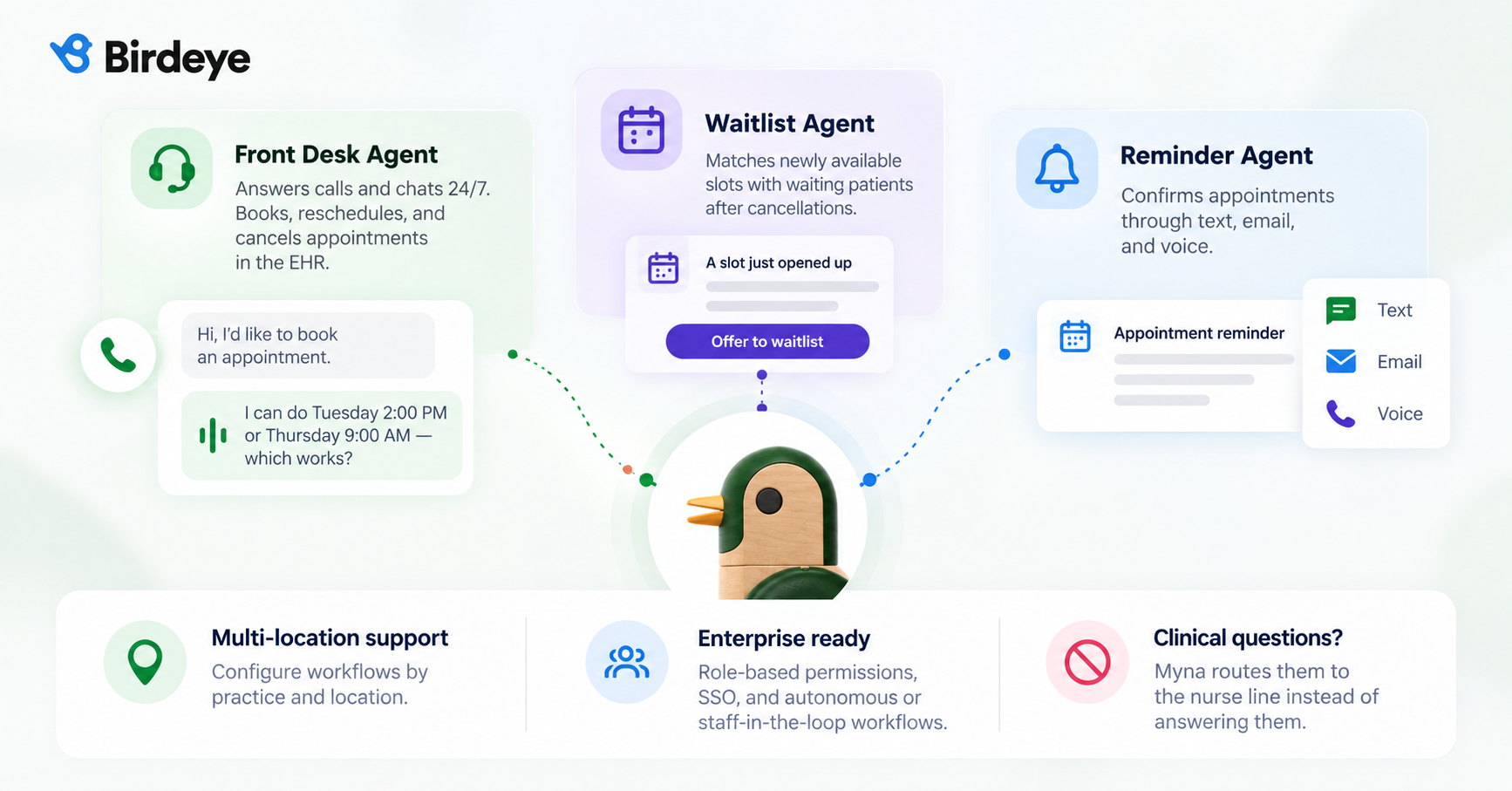
These workflows work together around the same patient context. A scheduling interaction can therefore continue into confirmation or waitlist management without requiring separate systems for each task.
Myna also supports the operational controls that multi-location healthcare organizations need. Organizations can use autonomous or staff-in-the-loop workflows, configure processes by practice and location, and manage access through role-based permissions and enterprise SSO.
Clinical questions stay outside the scheduling workflow. Myna routes those questions to the nurse line rather than answering them.
That boundary keeps scheduling automation focused on administrative work while clinical teams handle clinical decisions.
FAQs
What should healthcare organizations prioritize in patient scheduling?
The strongest patient scheduling workflows make access easier without complicating operations. That requires consistent scheduling rules, accurate availability, clear location-level processes, and fewer manual steps for routine requests.
Multi-location groups also need a way to manage cancellations and open capacity before those slots are lost. Automation can help, but only when the underlying scheduling process is defined clearly.
Myna gives healthcare organizations a way to automate defined scheduling workflows across calls and chats while keeping staff involved when judgment is required.
The result is a scheduling operation built around available capacity, patient access, and the work staff actually need to handle.
About the Author
Shruti Dugar is a Senior Content Marketing Writer with 11+ years of experience in content and storytelling. At Birdeye, she writes about how AI coworkers help multi-location brands win AI visibility and deliver seamless customer experiences. She’s also a published author & enjoys traveling. Connect with Shruti Dugar on LinkedIn.