
If you are wondering how to reduce patient no-shows without adding more work for staff, start with the gap between booking and arrival. Automated appointment reminders, two-way communication, and timely follow-up help patients remember, confirm, cancel, or reschedule before the visit. That protects the schedule without adding another manual call list for the front desk.
Summary
A strong no-show strategy does more than send one text the day before a visit. It creates a repeatable workflow: reach patients through the right channels, make responses easy, follow up with nonresponders, quickly refill cancellations, and track where missed visits happen most. Automation handles repetitive outreach while staff focus on patients who need human help.
Why do patients miss healthcare appointments?
A 2026 study across eight countries, covering more than 13 million appointments, identified longer booking lead times, prior non-attendance, and access barriers among the recurring predictors of missed primary-care appointments.
That shows a patient no-show is rarely just a case of forgetfulness. Missed appointments often stem from a mix of patient, access, and scheduling factors, including:
- Long booking lead times: The longer patients wait between scheduling and the actual visit, the greater the chance that plans change or the appointment gets forgotten.
- Transportation and access barriers: Difficulty getting to the clinic can prevent patients from attending even when they intend to.
- Scheduling friction: Patients may miss appointments when canceling, rescheduling, or finding another suitable time requires extra effort.
- Social and economic barriers: Socioeconomic disadvantage and other unmet social needs have been associated with higher rates of missed appointments.
- Previous missed appointments: Patients who have missed visits before are more likely to miss future appointments.
Front-desk teams often absorb the impact through reminder calls, rescheduling requests, calendar updates, and last-minute attempts to fill openings.
Missed visits can also interrupt continuity of patient care, especially when patients delay follow-up or have to wait longer for another appointment. At a busy or multi-location healthcare organization, managing these issues manually becomes difficult to scale.
How much do patient no-shows cost a healthcare organization?
The financial impact of patient no-shows varies by specialty, appointment type, reimbursement, and provider capacity. But research shows that unfilled appointments can create meaningful revenue and productivity losses.
A study of a tertiary pediatric otolaryngology clinic analyzed 24,593 appointments and recorded 4,627 no-shows. Researchers estimated that those missed appointments resulted in $276,831 to $959,908 in lost revenue per year, along with the loss of thousands of provider work RVUs.
Similarly, a 2026 study of 653 visits at a Southwestern U.S. outpatient clinic found a 29% no-show rate. After the clinic moved reminder calls earlier, the no-show rate fell to 21%, producing an estimated $5,200 in savings in just 12 days.
For multi-location healthcare organizations, those losses can multiply across hundreds or thousands of appointments. That is why reducing patient no-shows isn't just an attendance goal. It also protects schedule capacity and makes better use of existing staff and provider time.
What should a patient no-show prevention workflow include?
A strong no-show and appointment management workflow should include patient outreach, confirmation tracking, follow-up, rescheduling, and canceled-slot recovery.
These steps help healthcare teams reach patients, get a response, and recover the schedule without creating more manual work for the front desk.
Here is a practical five-step approach:
Step 1: Verify patient contact information
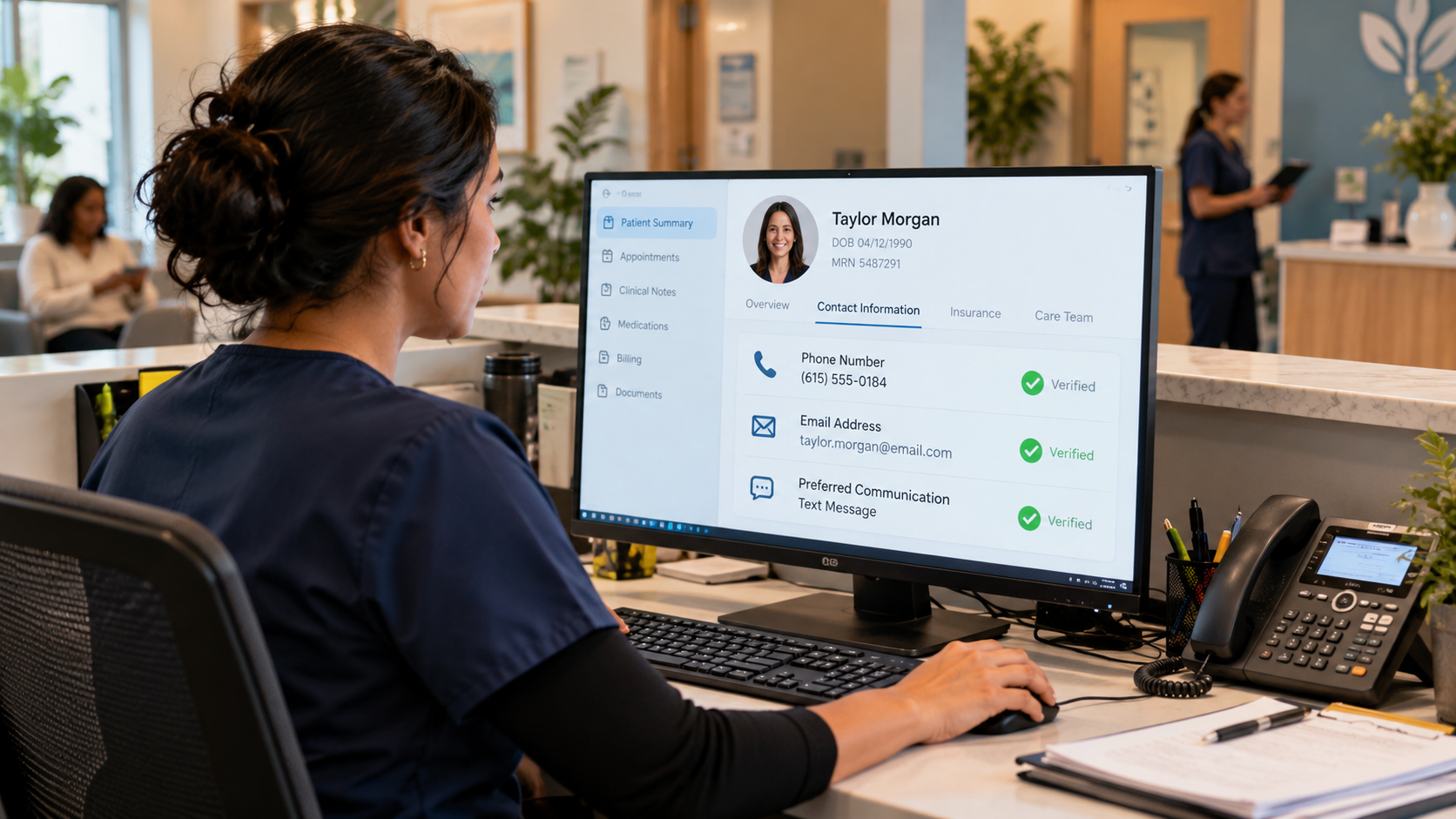
Start with accurate phone numbers, email addresses, and communication preferences. Even the best reminder workflow fails if messages go to outdated contact details or channels patients rarely use.
Step 2: Automate reminders at multiple touchpoints
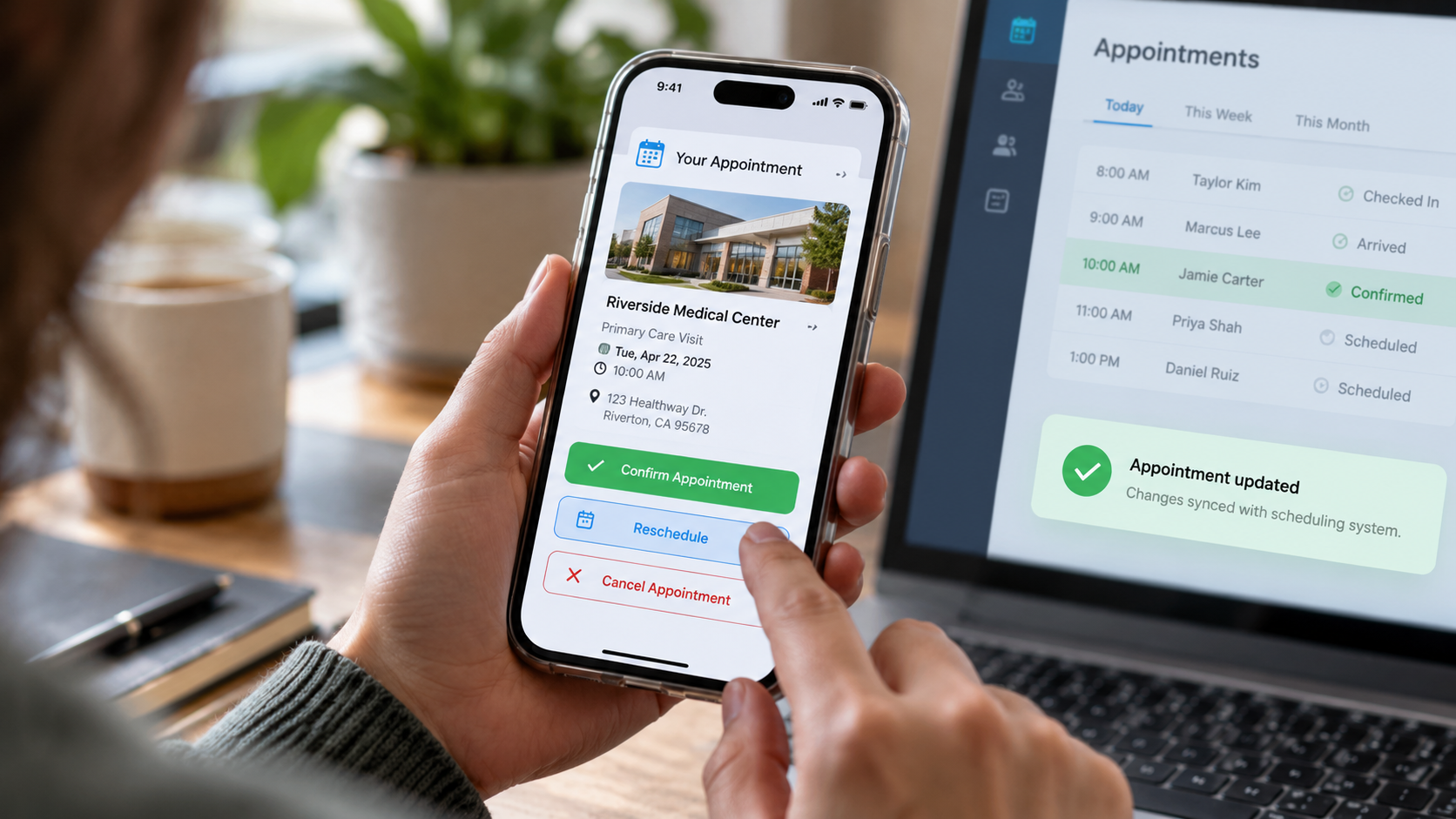
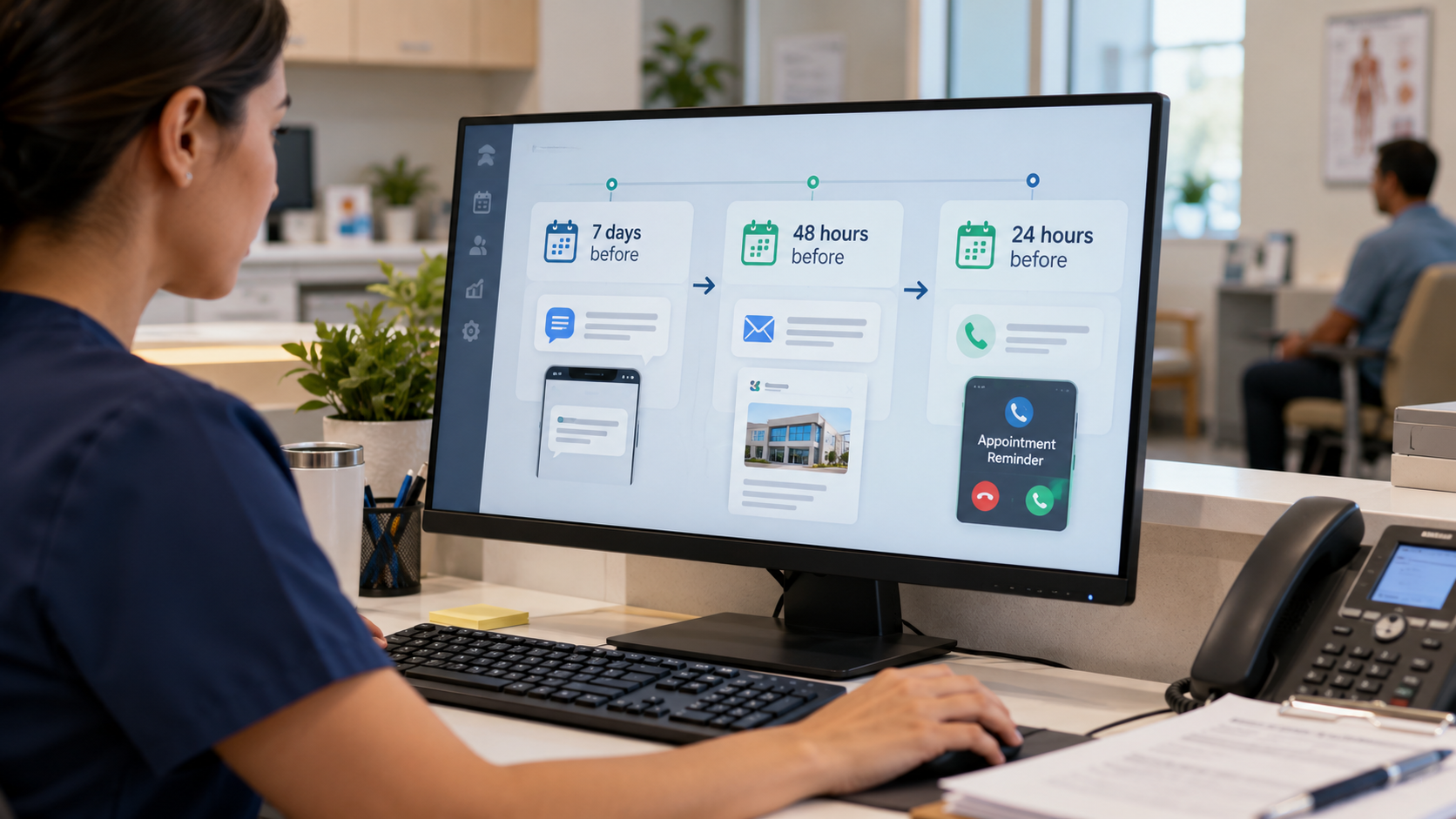
Do not rely on a single reminder or ask staff to work through daily call lists. A practical cadence is to send the first reminder 7 days before the appointment, follow up 48 hours before, and send a final reminder 24 hours before the visit. Practices can adjust this timing based on appointment type and patient needs.
Each reminder should include the information patients need to act, such as appointment details, confirmation or rescheduling options, and, when applicable, cancellation or no-show policies and expected copays. Setting these expectations upfront can reduce confusion and give patients time to make changes before the appointment.
Step 3: Follow up with nonresponders across channels
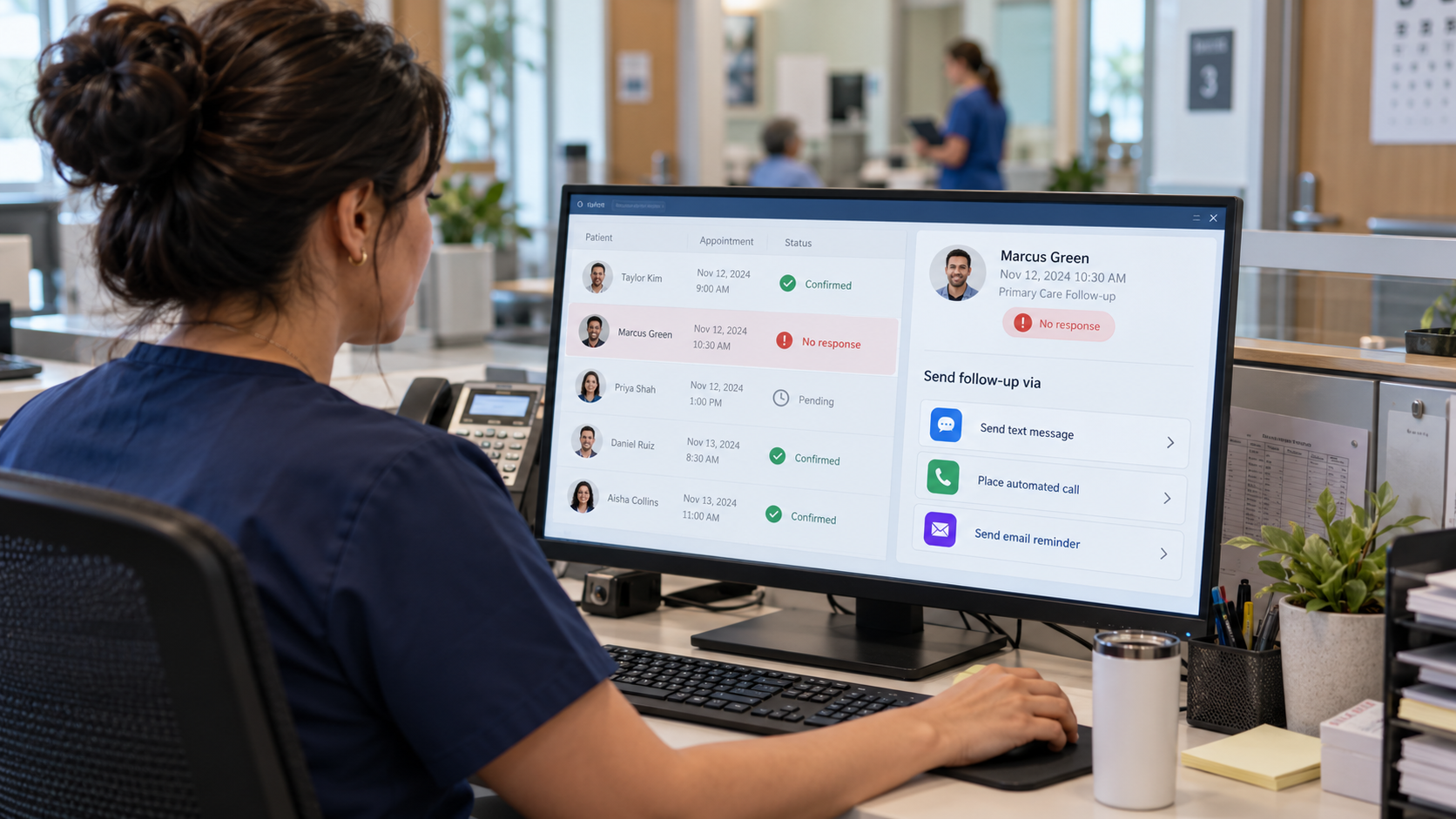
If a patient does not respond, automatically trigger another touchpoint through a different channel, such as voice, text, or email.
This helps teams reach more patients without requiring staff to manually identify and call every nonresponder. Front-desk employees can step in only when the situation requires personal attention.
Step 4: Make it easy for patients to confirm, cancel, or reschedule
Every reminder should give patients a simple next step. Let them confirm, cancel, or reschedule directly from the interaction instead of requiring another phone call.
The workflow should also connect with the EHR or scheduling system so appointment changes update automatically. Otherwise, automation simply creates another task for staff to complete.
Step 5: Recover canceled appointment slots
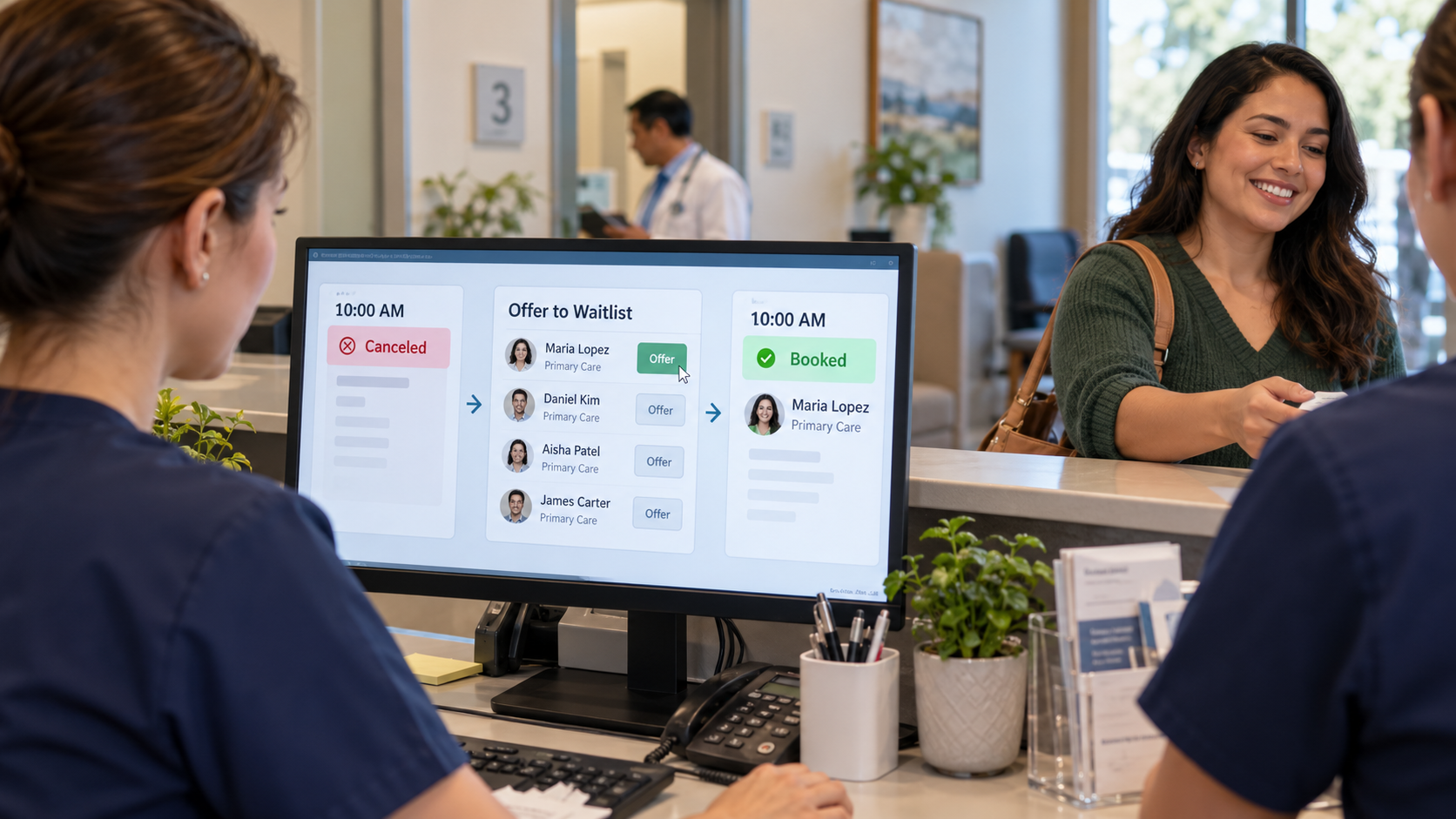
When a patient cancels, move quickly to refill the opening. A waitlist workflow can offer the available slot to another eligible patient. At the same time, track no-show rates by location, appointment type, booking lead time, and attendance history to identify where additional outreach may help.
This way, healthcare organizations will reduce patient no-shows without adding another layer of work for staff.
How can Myna help reduce patient no-shows?
Myna is an AI operations coworker for healthcare and DSOs that helps automate front-office workflows across voice, text, email, and chat. For no-show prevention, it uses specialized AI agents that remind patients, handle schedule changes, and refill cancellations without adding more work for staff.
Reach patients before the appointment
Myna’s Reminder Agent contacts patients by text, email, and voice before upcoming visits and follows up with nonresponders. This keeps reminders moving without requiring staff to manually work through call lists.
Make schedule changes easier for patients
Myna’s Front Desk Agent answers calls and chats 24/7 and can book, reschedule, or cancel appointments directly in the EHR. Patients can change plans more easily instead of missing the appointment altogether.
Turn cancellations into opportunities to refill the schedule
When a cancellation creates an opening, Myna’s Waitlist Agent can reach eligible patients and offer them the available slot. This helps healthcare teams recover capacity that might otherwise go unused.
Keep the workflow running without adding staff
Myna automates reminders, follow-up, schedule changes, and waitlist outreach across locations, while front-desk teams stay focused on patients who need personal support. This helps healthcare organizations strengthen no-show management, protect staff time, keep schedules fuller, and give teams more time to focus on patient care.
FAQs
How to reduce no-shows before they become empty slots
Patient no-shows shouldn't create more manual work for an already busy front desk. A consistent reminder workflow helps patients remember appointments, act sooner when plans change, and gives teams more opportunities to protect schedule capacity.
Myna automates appointment reminders across text, email, and voice while helping patients book, reschedule, or cancel through connected front-desk workflows.
Try Myna to keep more appointments on track without adding staff.
About the Author
Somya is a Content Editor at Birdeye with 9+ years of experience in content management, primarily supporting B2B SaaS brands. She brings a strong command of content strategy, SEO, GEO, and editorial planning, along with a sharp eye for crafting narratives that engage and convert. Over the years, Somya has helped scale content operations, optimize digital presence, and drive organic growth & AI visibility for fast-paced tech companies. When she’s not writing or immersed in editorial calendars, you can find her playing with her dog, Kaizer. Connect with Somya Yesodharan on LinkedIn.